
How to check a spreadsheet with AI and whether the numbers hold
An AI can find an error in a table in seconds, but it can also miss one or invent one. How to write the instruction and what to verify yourself.
A spreadsheet with a few hundred rows is slow to review, and that is where errors hide. An AI can go through it in seconds and often finds things you would not have noticed. It can also overlook a mistake, or report one that is not in the table at all.
This guide shows how to write the instruction so that you get findings you can check, and what to verify yourself.
Tell the AI what the table represents
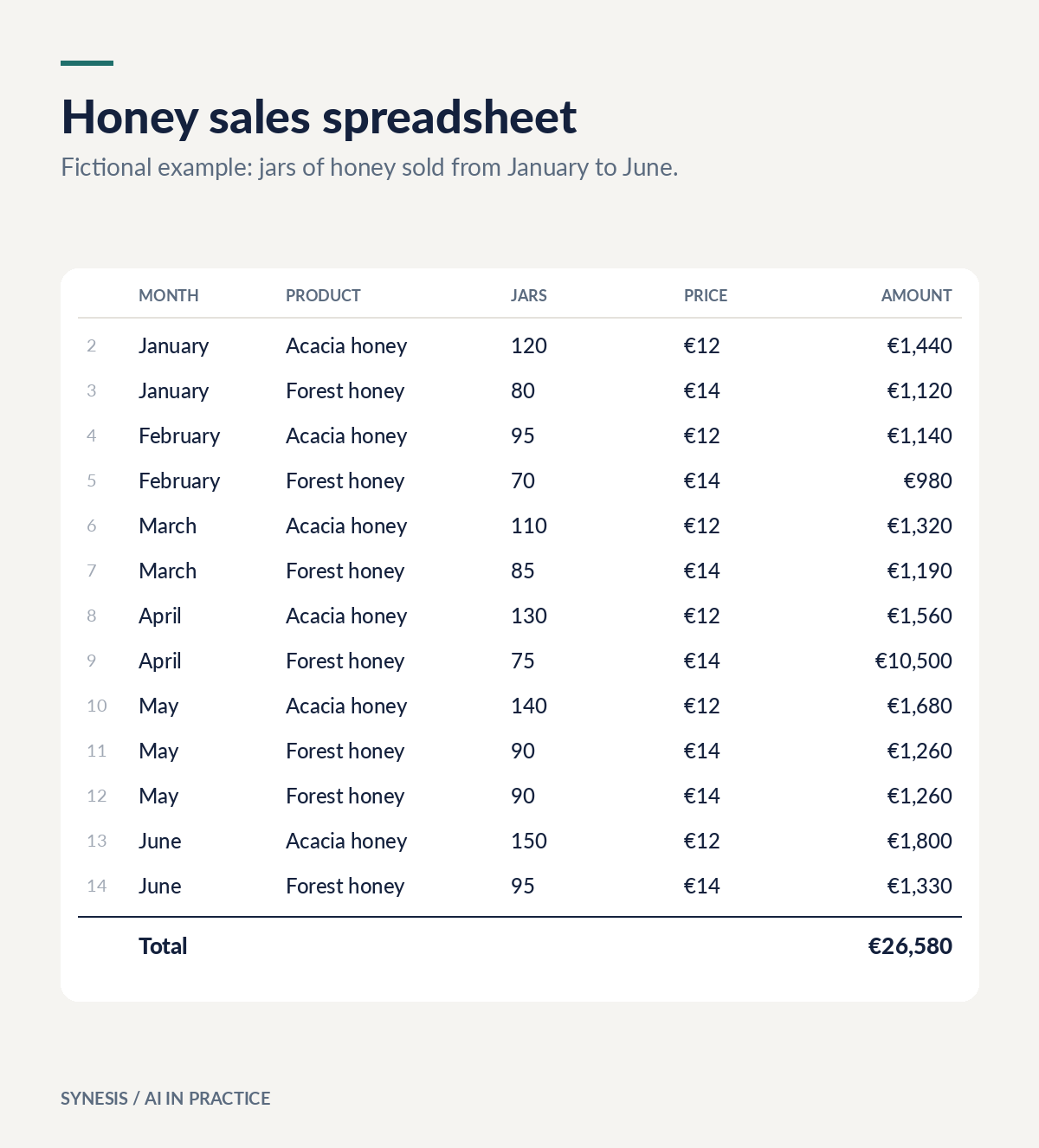
“Review this table” says too little. The AI does not know which columns should be compared with each other. Write down what is in the columns and what you are looking for. An example for the table above:
The attached table shows honey sales from January to June. The columns are: month, product, jars, price and amount. Review it like someone looking for errors. Find rows where the amount is not equal to quantity times price, duplicate rows, and values that stand far apart from the others. For every finding, give the row number and the values from the cells. Also tell me how many rows you read. If you are not sure about something, say so explicitly.
The instruction contains three things you can check in seconds: concrete criteria, a row number for each finding and the number of rows read.
Demand the row and the values
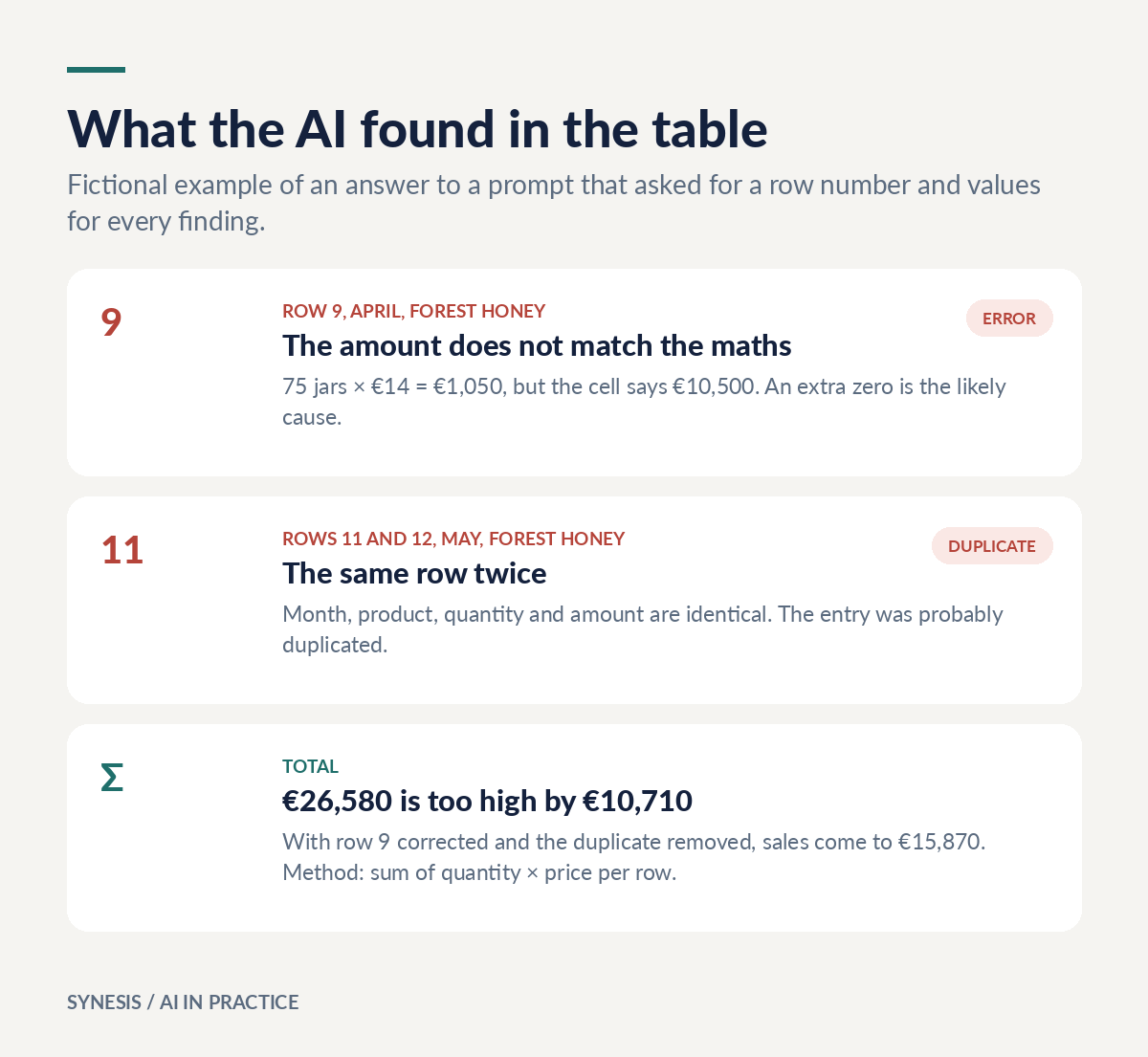
A finding without a row number is only a claim. When the AI says “row 9: 75 × €14 = €1,050, but the cell says €10,500”, you can verify it in the table in a few seconds. If the row number does not match, or the value is not in the cell, the finding is invented.
Ask for a formula, not just a number
When adding up many rows, language models can make mistakes, depending on the tool and on whether it really runs the calculation as code. So do not ask only for the total. Ask for a formula you can paste into the spreadsheet:
Write a formula for Google Sheets or Excel that calculates the correct amount for each row and the overall total.
You can see the formula, and the spreadsheet does the calculation, not the AI. If the result differs from the one in the answer, it is clear which to trust.
What you check yourself
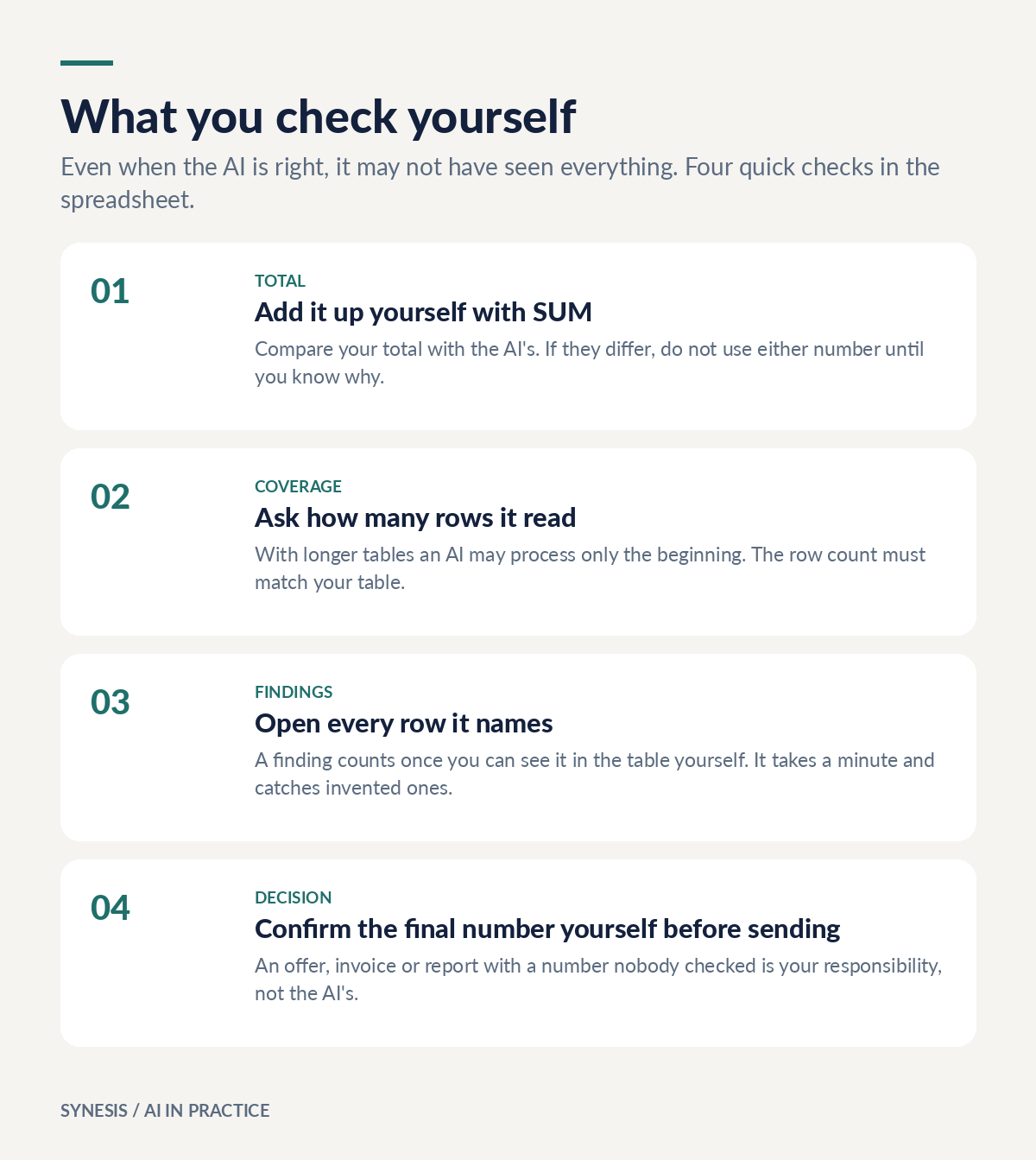
Even when the AI is right, it may not have seen everything. Four quick checks:
- The total: add it up yourself with the SUM function and compare it with the AI's answer.
- Coverage: compare the number of rows it read with the number of rows in your table. With longer tables the AI may have processed only part of it.
- Findings: open every row it names and check that it says what the AI claims.
- The final number: an offer, invoice or report with a number nobody checked remains your responsibility.
Also think about what you upload. Tables with prices, salaries or customer data can be confidential, so make sure you are allowed to share them first. More in the guide What to tell AI and what to keep private. For checking answers in general, see AI sounds convincing. How do you check if it is right?
Want to try this with your team? I build workshops on examples from your own work.
See the workshops